
Your script, broken into shots, before a single clip is generated
Turn a story into planned scenes with timing, dialogue and a reusable cast. Zoromi reads the script, proposes shots and organizes your character, location and prop references. Review the plan before generating video clips, and check the displayed price for the pictures and clips you choose to generate.
Review the price shown for each step. Pay with Gems; no subscription required.
Five paragraphs in, ten planned shots out
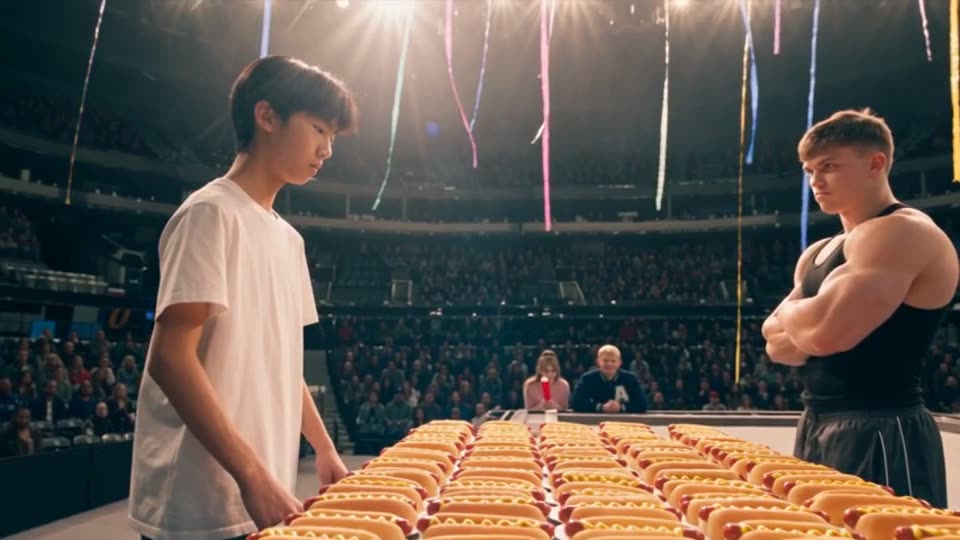
The whole input for Hot Dog King was a five-paragraph outline. Zoromi turned it into ten shots, each with its own action, and generated them from one set of cast designs. These four frames are shots 1, 5, 6 and 10 of that plan - open the example and you can read the outline and count the clips yourself.



How it works
- Step 1
Paste the script
A script, a chapter, or an outline of a few paragraphs.
- Step 2
Read the shot list
Each shot with its length, action and dialogue. Edit the plan before generating video clips.
- Step 3
Review the cast
One reference design per character, location and prop, attached to the shots that use them.
- Step 4
Generate
All the shots or a selection, then assemble in the Video Editor.
A shot list you can argue with
The plan arrives as a list: each shot with its length, what happens in it, and who speaks. Edit a scene's timing, action or dialogue before generating its video clip, using the cast designs prepared for your story.
Long passages become more shots rather than one hurried one, and a line of dialogue stays inside a single shot so a delivery is not cut in half.
Describe the cast once, not once per shot
The usual advice for keeping a character stable is to build a reference, save it under a name, and attach it to every shot yourself. That works, and it is a lot of bookkeeping across ten shots and more across ten episodes.
Zoromi does that part as a step of its own: it reads the script for its characters, locations and props, gives each one a reference design you can review and replace, and attaches them to the shots that contain them. Your shot text describes what changes - the action, the place, the camera - not who the person is.
From the shot list to finished clips
Generate the whole plan or only the shots you pick. Each shot is generated on its own, so you can make another take of an individual clip while keeping the rest of your story.
The clips land on a timeline where you cut, reorder, add voice and music, and export - vertical for Shorts, TikTok and Reels, or landscape.
Carry the shot plan into production
Use the shot plan and selected cast designs as the starting point for video generation. Your scene descriptions, dialogue and reference selections stay together as you move from planning to individual clips.
You control the shot choices and final edit. Adjust a scene's action or framing, generate another take for that clip, and compare the saved versions before choosing the one for your story.
Questions
How many shots will my script become?
It depends on the script: longer text is planned as more shots rather than compressed into fewer. The five-paragraph outline behind Hot Dog King became ten. Review the shot count and displayed price before generating video clips.
Can I change the shot list before generating?
Yes. The plan is shown as a list you can edit, and planning happens before any clip is generated.
Do I have to attach a character reference to every shot myself?
Zoromi organizes cast designs with the story and offers reference selections for the relevant shots. Review or change those selections using the reference inputs available in your chosen workflow and model before generating the clips.
What does it cost to plan and generate a script?
Pictures, video clips and audio use Gems; costs depend on the selected settings and amount of content. Review the displayed price in the workspace before generating, and see the pricing page for Gems packs or optional monthly plans.
More answers in the FAQ and current rates on the pricing page.
Try it with your own story
Bring your story, review the available steps and prices, then choose what to generate.
Paste a script